The essentials, in reach.
High-pass and low-pass filters, low and high shelves, plus two mid bands with Q. Drag the graph, turn a concentric knob, or enter the value you need.
 NEURACOUST
Neuracoust EQ 01
Bring a sound into focus. Six purposeful bands, independent stereo control, and a clear view of every move.
Get EQ 01Hear the differencePaid edition · Perpetual license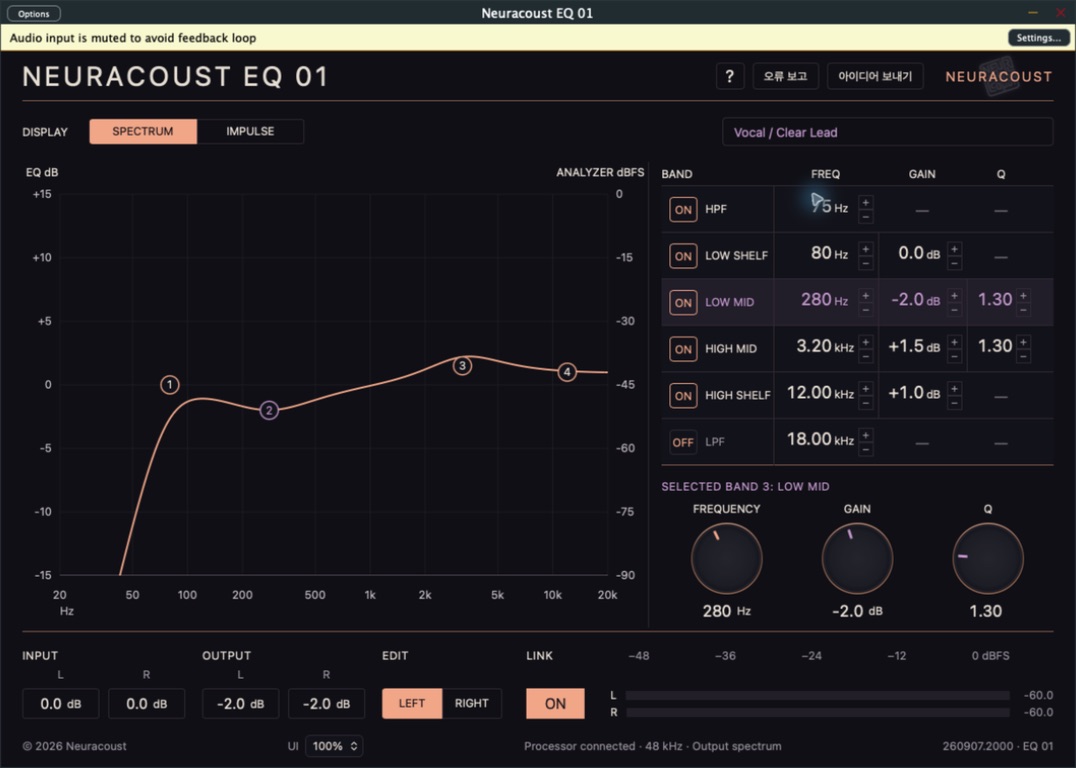
US$9.99 · Regular price US$29. One-time purchase, perpetual license.
Verified system requirements and platform-specific installers will be listed when the paid release is ready.
US$29 US$9.99
Paid release in preparation
Buy for US$9.99 ↗After purchase, your installer and license will be delivered through Lemon Squeezy. Applicable taxes are shown at checkout.
A mix rarely needs everything to change. Sometimes it needs a little less weight in the low mids. A gentler edge. A little more room for the important part.
EQ 01 is built around those moments. Start with a musical intention, place the curve, then listen again. Its six-band layout keeps the essential controls together, with a graph and numerical values telling the same story.
Developed from measured-response research, with a coefficient-based IIR signal path. It does not play back a captured impulse response to process your audio. This is a Neuracoust design, not an official recreation or endorsement by another manufacturer.
High-pass and low-pass filters, low and high shelves, plus two mid bands with Q. Drag the graph, turn a concentric knob, or enter the value you need.
Edit left and right independently, or link them for paired adjustments. Separate input and output trims keep level decisions close to tonal decisions.
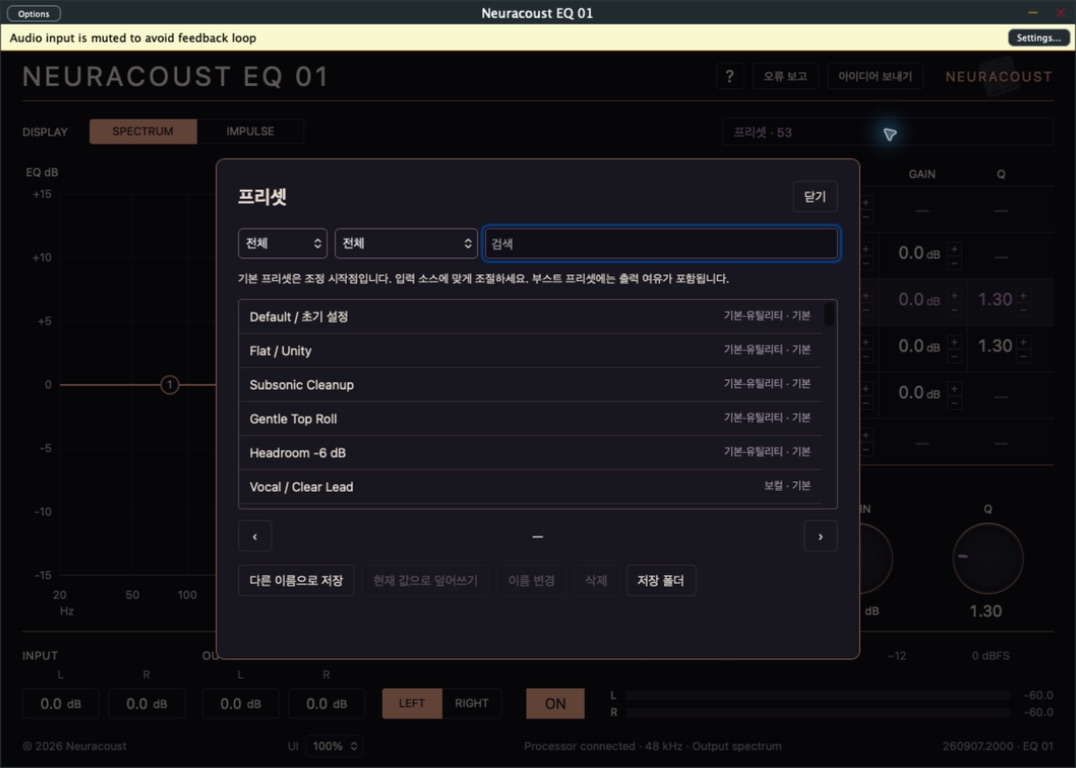
Explore nine preset categories, then save your own named settings. Search, rename and recall your user presets without changing the factory collection.
From a clearer lead to a darker texture, the factory library offers practical starting points—not automatic fixes. Adjust every preset for the sound in front of you.
Includes Default: all bands off, input 0 dB, output −2 dB, channels linked. Flat / Unity is a separate preset.
Three original synthetic sketches, processed by the actual EQ 01 engine. Choose an example and compare the same moment before and after EQ.
These are synthesized examples, not recordings of a real piano or drum kit. B is rendered through the native product DSP, then matched to A's whole-clip RMS level; both receive the same final headroom adjustment. RMS matching is not perceptual loudness matching. No limiter, compression or added reverb. Browser playback starts only when you press Play.
EQ 01 is moving to paid distribution. New downloads of the previous free edition have ended. Existing copies retain their usage rights.
Explore Neuracoust products ↗macOS Apple Silicon and Intel, Windows x64, x86 and ARM64, and NDS packages are in preparation. Availability will be listed for each verified package.
It shows the calculated response of the current EQ to a short impulse. It is a visualization, not an impulse-file loader or a different audio-processing mode.
Choose 100%, 75% or 50%. The main panel scales proportionally; the smallest size has smaller text. Help and preset dialogs remain scrollable within the window.
The plugin includes contextual Help, Error Report and Send Idea controls. Their language follows the system automatically. A report is sent only after you explicitly submit it.